










Build Your Dream Gaming PC: A Comprehensive Guide
 June 30, 2026
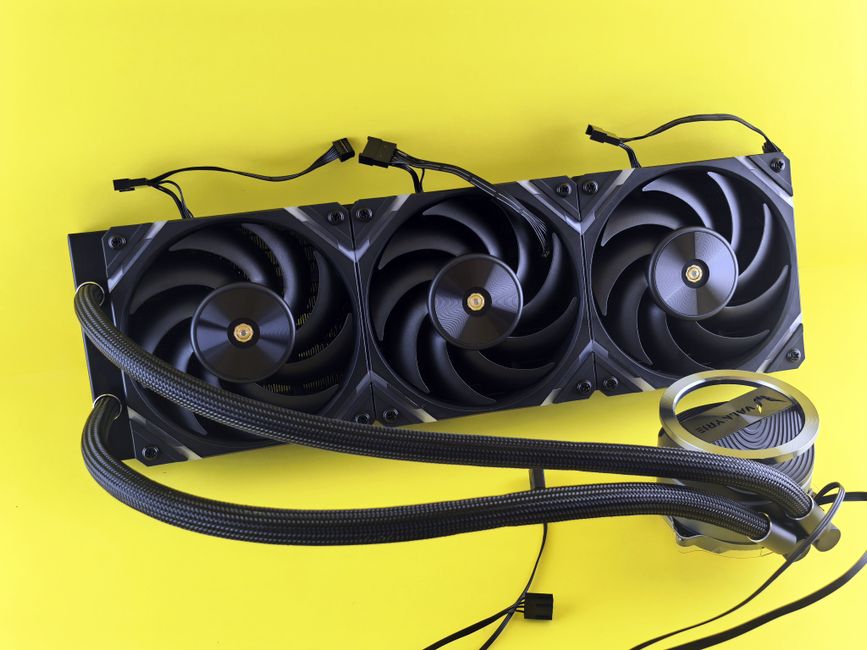
In the ever-evolving world of gaming, having the right setup can significantly enhance your experience. Building a gaming PC allows you to customize your hardware to meet your specific needs and preferences. This guide will walk you through the essential components, considerations, and tips for building your ideal gaming rig.
Understanding Your Needs
Before diving into the technical aspects, it’s crucial to understand your gaming requirements. Are you a casual gamer, or do you aim to play AAA titles at high settings? Your needs will dictate the components you choose. For example, a high-end graphics card is essential for demanding games, while a mid-range option may suffice for less graphically intensive titles.
Additionally, consider the resolution at which you plan to game. If you’re aiming for 4K gaming, you’ll need a powerful GPU and sufficient RAM to ensure smooth performance. On the other hand, 1080p gaming may allow for a less expensive setup without sacrificing too much performance.
Choosing the Right Components
The heart of any gaming PC lies in its components. Here are the key parts you need to consider:
1. Processor (CPU): The CPU is crucial for overall system performance. Look for multi-core processors from Intel or AMD that suit your gaming needs. The more cores and threads a CPU has, the better it can handle multitasking.
2. Graphics Card (GPU): Often considered the most important part for gamers, the GPU is responsible for rendering images. Brands like NVIDIA and AMD offer various options, so choose one that fits your budget and performance requirements.
3. Memory (RAM): A minimum of 16GB of RAM is recommended for gaming today, with 32GB being ideal for future-proofing your build. This will ensure smooth multitasking and enhance your gaming experience.
4. Storage: Consider an SSD for your operating system and frequently played games, as it will significantly improve loading times. A secondary HDD can be useful for additional storage of less frequently accessed files.
5. Power Supply (PSU): A reliable PSU is essential for system stability. Ensure it has enough wattage to support all your components, with some headroom for potential upgrades.
Finally, don’t forget the gaming PC builder tools available online that can help you compare components and ensure compatibility.
Assembling Your Gaming PC
Once you have gathered all your components, it’s time to assemble your gaming PC. Start by preparing your workspace and ensuring you have the necessary tools, such as screwdrivers and anti-static wristbands.
Begin by installing the CPU onto the motherboard, followed by the RAM. Next, mount the motherboard into the case, ensuring all standoffs are in place. After that, install the power supply and route the cables for a clean look.
Once the case is assembled, install your storage drives and GPU. Finally, connect all necessary cables, ensuring everything is secured and correctly plugged in. Double-check your connections before powering on the system for the first time.
Installing Operating System and Drivers
With your PC assembled, it’s time to install your operating system. Most gamers prefer Windows for its compatibility with various games and software. Create a bootable USB drive to install Windows and follow the on-screen instructions.
After the OS installation, remember to install the latest drivers for your GPU and other components. This ensures optimal performance and stability during gaming sessions. Regularly check for updates to keep your system running smoothly.
Testing and Optimizing Your Build
After everything is set up, it’s important to test your gaming PC. Run benchmarks to ensure all components are functioning correctly. Tools like 3DMark can help you assess performance and compare it to other systems.
Additionally, consider optimizing your game settings based on your hardware capabilities. Adjusting graphics settings can significantly improve frame rates and overall gameplay experience. Regular maintenance, such as cleaning your system and monitoring temperatures, is also essential for longevity.
Conclusion
Building a gaming PC can be a rewarding experience that not only enhances your gaming capabilities but also provides a sense of accomplishment. By carefully selecting your components, following assembly instructions, and optimizing your setup, you can create a powerful machine tailored to your gaming needs. Whether you are a casual player or a competitive gamer, your dream gaming rig is within reach, waiting to be built.